TL;DR - Two major breaches hit the news this week. Vercel got compromised after a developer downloaded malware disguised as Roblox cheats. Microsoft confirmed attackers are using Teams chat to impersonate IT helpdesk staff and move laterally inside organisations. Neither attack needed a sophisticated hacker. Both needed someone to trust the wrong message at the wrong time. If you use Microsoft Teams or work for any organisation with an IT department, this matters for you. The four small checks at the bottom of this post stop nearly all of it.
I read two stories this week and put my coffee down for both of them.
The first was Vercel, a company that hosts large parts of the modern web, confirming a security breach that started, of all places, with a Roblox cheat download. A developer at the company downloaded what looked like a Roblox auto-aim helper. The file contained malware. The malware harvested the developer's credentials. From there, the attackers had a foothold inside Vercel's systems.
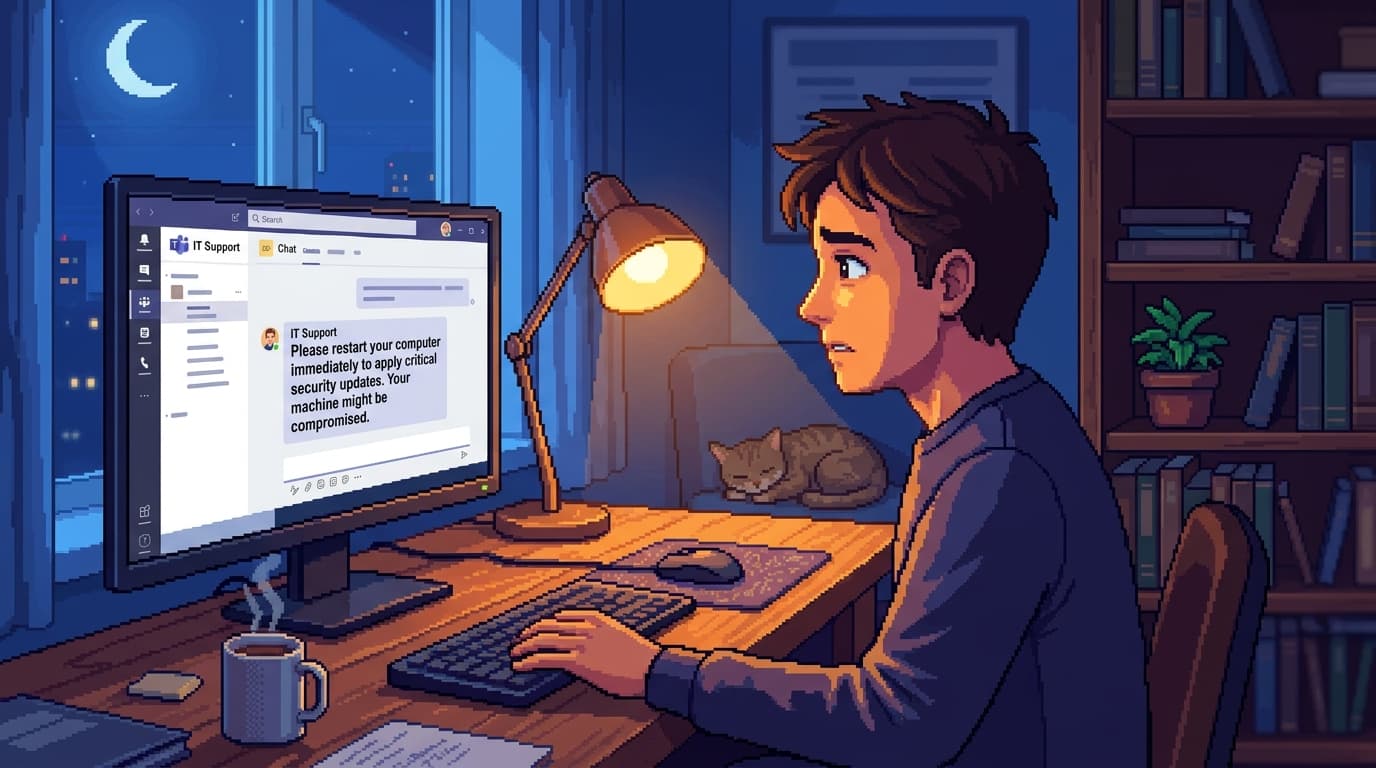
The second was a Microsoft Threat Intelligence report confirming what their team has been seeing for months: attackers are increasingly using Microsoft Teams to impersonate IT helpdesk staff. They pose as "IT Support" in chat, get the user to run a command, install a remote tool, or share a credential, and they are inside the organisation within minutes.
Two breaches. Two completely different sectors. Same pattern.
Honest answer up front: most of the worst breaches in 2026 do not start with hackers exploiting clever bugs in software. They start with someone clicking 'allow' on a thing they thought was normal. The actual hack is the trust transfer, not the code.
This post explains how both of these attacks worked, why the pattern is dominant right now, and the four small checks that stop most of it.
Story 1: How Vercel got compromised
The headline version: an employee downloaded malware disguised as a Roblox cheat, the malware stole their credentials, and the attacker used those credentials to access internal systems.
The longer version is more useful.
Roblox cheats are a popular target for malware authors because the audience (often kids or younger gamers) is large, technically inexperienced, and motivated to download things from sketchy sources. Cheat tools are also already adversarial software, which means antivirus tools are sometimes trained to ignore them rather than flag them. That makes cheats perfect cover for credential-stealing payloads.
The Vercel employee was not a kid. They were, by all accounts, a competent developer who downloaded a cheat for a personal account on a personal device. The malware harvested anything credential-shaped on the system: browser-saved passwords, session tokens for any active web app, SSH keys.
If those credentials had been only personal, the story might end there. But the personal device had logged into work accounts at some point, or had work credentials cached, or had a re-used password that also worked at the office.
You can guess the rest.
Story 2: How the Teams helpdesk attacks work
This one is happening right now, in dozens of organisations every week. Microsoft published their threat intel write-up partly because they want to scare the right people into action.
The play looks like this. An attacker compromises a Microsoft 365 tenant, any tenant, often a small business with weak security. From that tenant, they create a Teams account that looks like an IT help account: "IT Support", "Helpdesk", "MSP Support", whatever fits. Then they send messages from this account to staff at a target organisation, exploiting a quirk of how Teams handles cross-tenant chat invitations.
The message is normal-looking.
"Hi, we're doing a quick security check on your account, can you confirm your password?"
Or:
"We need to update your VPN client, can you accept this remote screen share so we can install it?"
Or:
"We're seeing unusual login activity. Can you give me the code from your Authenticator app?"
The user assumes this is internal. Teams looks internal. The branding is internal. There is no obvious red flag.
Within twenty minutes, the user has shared a credential, accepted a screen share, or installed a remote access tool. Within the hour, the attacker is moving laterally across the organisation.
Microsoft's report flagged that this technique now accounts for a measurable share of breaches in the small to mid-business segment in 2026, particularly because Teams adoption keeps growing and many organisations have weak controls on cross-tenant chat.
What both stories share (and why it matters)
Look at the technical details for ten seconds and you might notice nothing connects them. One is malware, the other is chat manipulation. One starts on a personal device, the other inside the corporate environment.
Look for the trust transfer and they are the same attack.
In both cases, the human did not do anything obviously wrong. They downloaded a thing they wanted (a game cheat) or replied to a message that looked normal (an IT person on Teams). The exploit was not in the software. The exploit was in the assumption that the source was who it claimed to be.
This is what social engineering means, and it is the most common breach pattern in 2026. Not because the attacks are clever. Because they do not have to be.
Why this is the dominant attack pattern right now
A few things came together to make 2026 a banner year for this kind of attack:
Software is harder to break. Operating systems patch faster. Browsers sandbox better. The easy zero-day bugs that fuelled hacks ten years ago are mostly gone. Going through software is expensive. Going through people is cheap.
AI made phishing scale. Convincing emails, voice clones, and Teams messages used to take effort to craft. They now take seconds. The economics of social engineering shifted, and attackers responded.
Remote work normalised "the IT person you have never met". Pre-2020, your IT support was a person at a desk down the hall. You would recognise them. Now your IT person is a chat avatar. The scammer also has a chat avatar. There is no visual cue to tell them apart.
Inside-the-firewall channels feel safe. Teams, Slack, internal email. We treat them as trusted by default. Attackers who get a foothold in any tenant can ride that trust for days before anyone notices.
The combined effect is that 2026 attackers do not need to be hackers in the technical sense. They need to be patient, socially confident, and willing to send a hundred messages to find the one person having a bad day.
The four checks that stop nearly all of this
If you do nothing else from this article, do these four things.
1. The "who is this from, really?" check
Before you click, share, or download anything that arrives in a message, even from a colleague, even from IT, take ten seconds to verify the sender. Not by replying in the channel they messaged you in. By pinging them in a different channel, walking to their desk, or calling their listed phone number.
Out-of-band verification is not paranoid. It is the default for anything that asks you to do something unusual.
2. The "I'm about to download this" pause
If you are about to install a thing (a game tool, a VPN, a browser extension, a productivity app, a "free" version of a paid product), stop and ask whether you can install it from the official source. The Roblox cheat that got Vercel was downloaded from a forum link, not the Roblox store. Forum links and search-result links are where modern malware lives.
If you genuinely need a non-official tool, run it on a non-work device that is not signed into your work accounts. Keep work credentials and personal-software downloads in different worlds.
3. The "wait, why are they asking for that?" pause
Real IT support never asks for your password. They have other ways to fix things. They do not need your authenticator code. They do not need to remote-control your machine without you starting the request.
If a message asks for any of these, treat it as suspicious, even if the sender looks internal. Especially if the sender looks internal.
4. The "I'll sleep on it" delay
Almost every successful social engineering attack relies on urgency. "Please respond ASAP." "I just need this quickly." "Before you log off today."
If a request makes you feel pressured to act fast, the pressure itself is the red flag. Real urgency is rare. Manufactured urgency is everywhere.
What organisations should be doing (briefly)
This post is written for individuals. A quick note for the IT and security people reading.
The Microsoft Teams helpdesk attack is mostly a configuration problem, and configuration problems are mostly fixable. Block external Teams chat by default. Require helpdesk verification through a documented out-of-band channel. Use Conditional Access policies to limit what a compromised user account can actually reach. Train staff on the specific patterns above, not generic phishing-test theatre.
For the Vercel-style attack, separate work and personal device usage as much as you can. Mandate password managers (so credentials are not re-used across personal and work). Audit which corporate web apps a personal browser can authenticate to.
If you want a deeper read on how to build that culture without burning out staff, the phishing test that failed post covers the difference between phishing-simulation-as-theatre and phishing-simulation-that-changes-behaviour.
The mental shift
The hardest part is not learning the four checks. It is training yourself to apply them when you are tired, busy, or in a hurry. That is exactly when attackers want to reach you.
The mental shift I keep coming back to is moving from "is the technology working?" to "is the human story I'm being told actually true?"
The Vercel breach worked because the story (a Roblox cheat is just a game tool) felt true. The Teams attack works because the story (the IT person is messaging me) feels true. In both cases, the technology was not the failure. The story was.
Once you start asking "is this story actually true?" you will find that most of the obvious red flags are obvious. The hard ones are the ones where the story is just plausible enough that you act on autopilot.
If you only do one thing differently after reading this, slow down before you act on a message that asks you to do something. The 30-second pause is the single most effective security control most non-technical people can deploy, and it costs nothing.
FAQ
Is Microsoft Teams unsafe to use now?
No, Teams is fine to use. The attacks rely on cross-tenant chat invitations from compromised external tenants, which is a feature most organisations can disable in admin settings without affecting normal use. If you are an end user and worried, do not click links or run commands sent by external Teams accounts unless you have verified the sender out-of-band.
What did the Vercel attackers actually do once they were in?
Public details are limited at time of writing. Vercel disclosed a security incident, rotated affected credentials, and is conducting a full audit. The pattern in similar breaches (token harvest, then cloud credential reuse, then data exfiltration or supply chain implant) is the worst-case template, but it is not confirmed for Vercel specifically. The lesson is the same regardless of the final blast radius: a personal-device malware infection became a corporate breach.
How do I know if my IT department's Teams message is real?
Out-of-band verification. If your IT person messages you on Teams asking you to do something unusual, send them a separate message via email or pick up the phone and verify. Real IT will not be offended. Fake IT will pressure you to act fast.
What if I already clicked something or shared a credential?
Tell your IT or security team immediately. Not in 30 minutes. Not at the end of the day. Now. The window between compromise and lateral movement is often less than an hour. Reporting fast is the single biggest factor in containing the damage.
Are these attacks targeting individuals or just companies?
Both, but the playbook is slightly different. Individuals are typically targeted for banking or crypto credentials, identity fraud, or romance scams. Companies are targeted for ransomware, data exfiltration, or supply-chain access. The same trust-manipulation pattern works in both contexts.
Is "social engineering" specifically a 2026 thing, or is this here to stay?
Probably for the rest of the decade. Until either AI-driven detection gets ahead of AI-driven attacks (it is currently behind) or organisations rebuild their identity and access fundamentals (slow, expensive, and requires executive buy-in), social engineering is going to keep working because the human attack surface keeps growing.
If this was useful, the Secure In Seconds newsletter covers one specific story like this every Thursday. No filler, no fluff, no fear-mongering. Just the practical thing to do this week.
Stay safe out there.