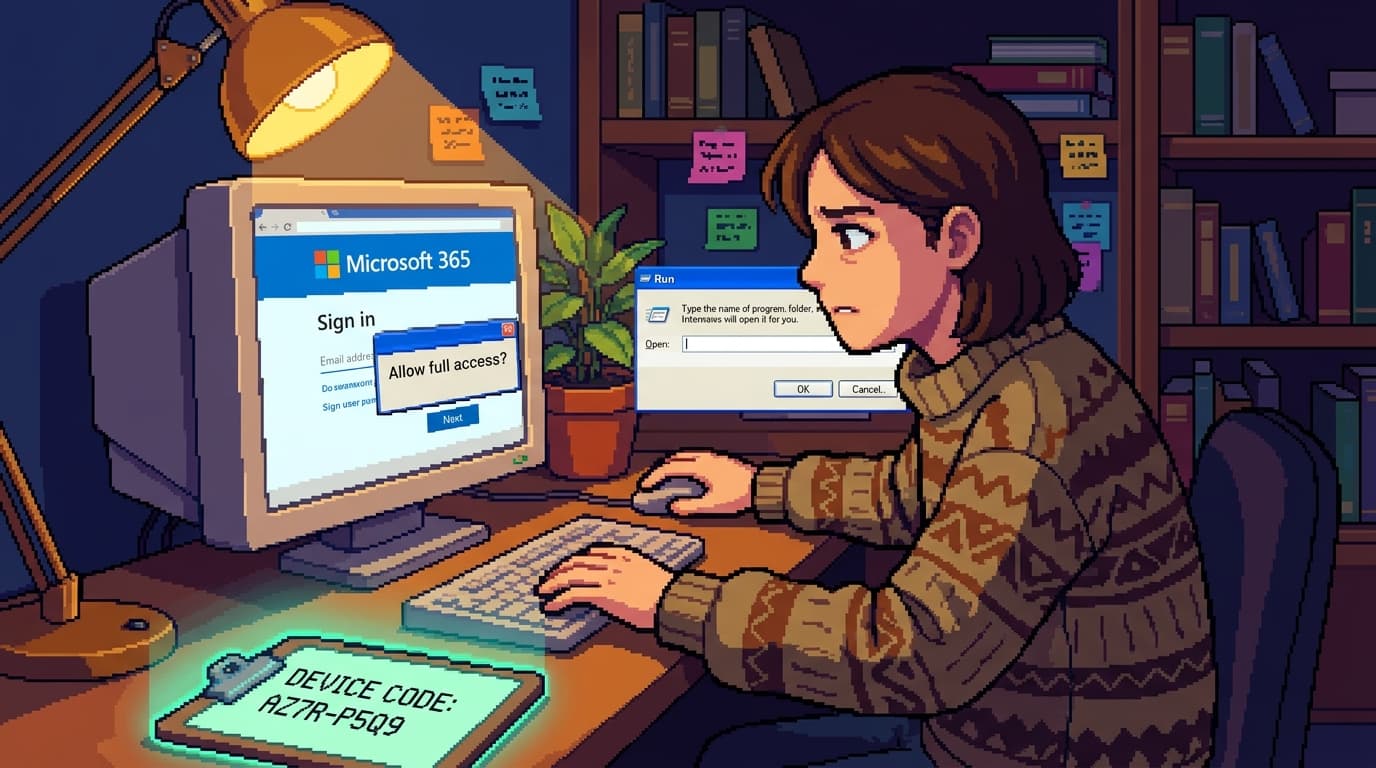
TL;DR - A phishing technique called ClickFix (with a related variant called ConsentFix) can steal a Microsoft 365 account in roughly 3 seconds, no password and no MFA code required. It works because it looks exactly like a normal Microsoft prompt: a consent popup, a "paste this code" box, a "your password expired" page. What you need to do: pull M365 sign-in logs for the last 48 hours, look for unfamiliar IPs and impossible-travel sign-ins, revoke all active sessions for any affected user, and review OAuth apps for ones nobody on your team installed.
By The Numbers
| Thing | Figure |
|---|---|
| Time to compromise a Microsoft 365 account | ~3 seconds |
| What the attacker actually steals | A session token, not a password |
| MFA bypass requirement | None - the token is issued to the attacker's device |
| Browser vendors now shipping paste-protection | At least 1 (Opera, 02 Jul 2026) |
| Most common disguise | "Your password expired, paste this code" prompt |
The receptionist who clicked a Microsoft login page at 9:14am
A friend runs a small accounting firm in Melbourne. Last Wednesday their receptionist clicked something at 9:14 in the morning. By 9:14 and three seconds, her Microsoft 365 account belonged to someone else. By lunch, two of their clients had received fake invoice emails from her address asking for payment to a "new account". By Thursday morning they were dealing with the ATO about a suspicious BAS lodgement that had gone in under her credentials.
She did not enter her password. She did not enter an MFA code. She clicked a Microsoft-branded popup, followed the instructions on screen, and pasted a string of text into a Windows dialog. That was the entire compromise.
The popup looked like every other Microsoft consent dialog she had approved a hundred times before. The page looked exactly like a Microsoft sign-in screen. The "paste this code" instruction read like the kind of thing Microsoft genuinely asks you to do during a password reset. None of it looked wrong. That is the point.
The technique has a name now: ClickFix, with a related variant the security press is calling ConsentFix. BleepingComputer published a teardown on 02 July 2026 that explains how the whole thing fits together, and Opera announced a new "Paste Protect" feature the same day to try to block it. The browser vendors are scrambling. That should tell you how fast this is moving.
What the trick actually does
This is not a new vulnerability in Microsoft 365. There is nothing to patch. What the attackers are doing is abusing the legitimate "device code" sign-in flow that Microsoft built for exactly this purpose - to let you sign in to a Microsoft service on a device that does not have a full browser.
The legitimate flow looks like this: you go to a Microsoft sign-in page on a TV or a printer or a server, the page tells you to go to microsoft.com/devicelogin on your phone or laptop, you sign in there, you get a one-time code, you paste the code back into the TV or printer, and the device is authorised.
The attackers have flipped it. They trick the victim into going to microsoft.com/devicelogin on their own computer, signing in to their own Microsoft account, getting a code, and then pasting that code into a Windows Run dialog or a PowerShell window that the attacker controls. The attacker now has a refresh token tied to the victim's Microsoft account, signed in on the attacker's infrastructure. The token is good for an hour by default, and the attacker can keep refreshing it. MFA never fires, because the user signed in legitimately on their own device.
A separate variant, ConsentFix, abuses OAuth consent grants. The victim is shown a fake Microsoft application that asks for very broad permissions (read mail, send mail, read files). The victim clicks "accept" because the consent screen looks exactly like a Microsoft dialog, and the attacker now has a registered OAuth app on the tenant with the user's permissions.
Both techniques steal a session, not a password. That is what makes them invisible to most monitoring. The sign-in looks legitimate, because the user did it. The token issuance looks legitimate, because Microsoft did it. The attacker now has the keys without tripping any alarm that is looking for "wrong password" or "MFA challenge failed".
Why browsers and email gateways keep missing it
The whole attack works because every step looks like something Microsoft does. The login page is a real Microsoft page. The consent dialog is a real Microsoft dialog. The "paste this code" instruction is something Microsoft genuinely asks for in some flows. The user's browser shows microsoft.com in the address bar.
A user who has been trained to "check the URL" sees a real Microsoft URL. A user who has been trained to "look for the green padlock" sees a green padlock on a real Microsoft page. A user who has been trained to "never enter your password on a page you did not expect" did not enter a password. They pasted a code. None of the standard warnings apply.
The reason browser vendors are now scrambling is that the new defence has to live at the clipboard layer. If the user's browser or operating system refuses to paste content from a webpage into a Run dialog or a PowerShell window unless the user explicitly confirmed the paste, the trick falls apart. Opera shipped Paste Protect on 02 July 2026 to do exactly this. Expect other browsers to follow within weeks. Until they do, your staff are the only line of defence.
What to check tonight if you are worried
If you have a Microsoft 365 tenant and you suspect anyone might have clicked something in the last 24 to 48 hours, this is the four-step check I would run before you log off for the evening.
- Open the Entra admin centre and pull the sign-in logs. Filter for the last 48 hours and look for sign-ins from countries or IP ranges you do not recognise. The classic tell is a sign-in from an Australian user's account where the IP resolves to Eastern Europe, or a sign-in on a Windows machine immediately followed by a sign-in on a Linux machine in a different city. Microsoft flags these as "impossible travel" and you should treat them as a confirmed compromise.
- Review OAuth apps in Entra. Go to Enterprise Applications, sort by created date, and look for anything nobody on your team installed. ConsentFix grants show up here. If you find one, revoke the consent grant and delete the app registration.
- Revoke active sessions for any affected user. In the user's account blade, click "Sign out everywhere" or "Revoke sessions". This kills the refresh token, which kills the attacker's access, even if they already have a token issued. The user will have to sign in again tomorrow, which is a small price.
- Reset MFA factors for the user. Once you have kicked the attacker out, reset their MFA registration. If they had a phone number registered, check that the number is still theirs (SIM swap attacks are a related risk).
If you find evidence of compromise, also email the people in the affected user's recent sent items and warn them about fake emails. The Notifiable Data Breaches scheme sits with the Office of the Australian Information Commissioner (OAIC), and your obligations under the Privacy Act depend on what data the attacker reached. Talk to your IT provider or your security contact before you decide what is and is not reportable.
How to make this less likely to happen again
The hard truth is that user training alone will not stop this. The attack is designed to look like every other Microsoft dialog, and your staff are not going to reliably tell the difference. What you can do is shrink the blast radius and add friction that the attack does not expect.
- Require device code flow to be blocked by Conditional Access. Most tenants do not need device code sign-in at all. A Conditional Access policy that blocks the "Microsoft Entra device code" sign-in flow kills the ClickFix variant outright for any user it applies to. Test it on a pilot group first, because some legitimate workflows (especially Azure CLI on shared servers) do use this flow.
- Restrict OAuth consent to admin-approved apps. The default in Entra is "user consent for apps from verified publishers". Switch it to "admin consent required" for anything outside a curated allow list. ConsentFix loses most of its value when a regular user cannot grant a third-party app access.
- Move to phishing-resistant MFA. Hardware keys (FIDO2 / WebAuthn) and platform passkeys bind the session to the originating device. A token stolen from a phishing page is still tied to the attacker's device, but Conditional Access policies can refuse to honour it on an unfamiliar device. This is what most cyber insurers are now asking about in renewal questionnaires, and it is also the strongest defence against the broader class of MFA-bypass attacks.
- Train staff on the one thing that is different. The one cue that survives every disguise: Microsoft will never, ever, ask you to paste a code into a Run dialog, a PowerShell window, or a file path on your computer. If anyone asks you to do that, regardless of how convincing the rest of the page looks, stop. Pick up the phone. Call the person who sent you the email or the IT provider. That single habit catches this attack more reliably than any training module.
Key Takeaways
- The whole attack takes about 3 seconds and looks like a normal Microsoft flow. The victim pastes a legitimate device code into a Windows dialog the attacker controls. No password, no MFA code, no alarm.
- The defence has to live at the clipboard layer. Until browsers ship paste protection broadly (Opera started 02 Jul 2026), your staff are the only thing standing between the trick and a stolen session.
- Block device code sign-in through Conditional Access. Most tenants do not need it, and blocking it kills the most common ClickFix variant.
- Lock down OAuth consent. Admin-only approval for third-party app grants takes ConsentFix off the table.
- Move to phishing-resistant MFA. Hardware keys and platform passkeys are what insurers are asking about now, and they make stolen tokens much harder to use.
FAQ
Q: My user clicked something weird this morning but nothing has happened yet. Am I OK?
Not necessarily. ClickFix attackers often wait hours or days before using a stolen token, so a quiet morning does not mean a quiet week. Pull the sign-in logs now, look for any unfamiliar IPs, revoke sessions, reset MFA, and lock down device-code sign-in through Conditional Access so the same trick cannot be used again on another staff member.
Q: Does this affect Microsoft 365 Business Basic, or just Enterprise?
It affects every tier that supports OAuth consent grants and device-code sign-in. That includes Business Basic, Business Standard, and Enterprise plans. The Conditional Access controls I mentioned are only available on certain plans (Business Premium and above, or any plan with Entra ID P1 or P2). If you are on Business Basic, talk to your IT provider about moving up a tier or about alternative controls.
Q: Is blocking device code sign-in going to break anything in my tenant?
It can. Some legitimate workflows use device code flow, including the Azure CLI on shared servers, certain PowerShell scripts, and some Azure DevOps pipelines. Test the change on a pilot group first and check that no automated jobs are using device code before you roll it out tenant-wide.
Q: Why did the attacker get a session if I have MFA enabled?
MFA is not bypassed. The attacker did not need to bypass it. The user signed in to Microsoft on their own device, completed MFA on their own device, and then handed the resulting device code to the attacker. The session was issued to the user's account legitimately. The attacker then used the code from their own infrastructure. This is the new shape of MFA-aware phishing: do not break MFA, route around it.
Q: How is this different from regular phishing?
In a regular phishing attack, the attacker steals your password and then tries to use it, which usually trips MFA. In a ClickFix attack, the attacker does not need your password at all. They trick you into authorising their infrastructure to receive a session token directly. The session token is the prize, and the user hands it over voluntarily.
Q: Will Microsoft fix this?
Microsoft is not going to remove device-code sign-in because legitimate users need it. What you can expect over the next 12 months is more friction on the flow itself: clearer warnings when a code is being used from a different machine, tighter consent dialogs that show the app publisher more prominently, and possibly a step-up challenge for high-risk operations. In the meantime, your defence is Conditional Access and phishing-resistant MFA.
My Take
Every couple of years the phishing industry finds a new trick that makes the old defences look quaint, and the ClickFix family is the 2026 edition. The reason it works is not that it is technically clever. It is that it exploits the gap between what Microsoft legitimately asks users to do (paste a code, approve a consent dialog, sign in on a new device) and what a user has been trained to expect from a phishing attack (passwords, MFA codes, suspicious URLs). The training was good. The threat changed underneath it.
The fix is not better training. It is structural. Block device-code sign-in if you do not need it. Lock down OAuth consent to admins. Move the staff who can authorise payments or send invoices to phishing-resistant MFA. None of those controls are exciting, and none of them will make a good LinkedIn post. But together they take ClickFix from "we got owned in three seconds" to "the dialog looked weird so I called IT" - and that is the difference between a bad day and a notifiable data breach.
The browsers will catch up. Opera started shipping paste protection on 02 July 2026 and the others will follow. By the end of the year this specific ClickFix variant will be much harder to execute. The technique will not disappear, though. It will just mutate. The structural controls are what survive the mutation. Invest there.
Own the clipboard. Restrict the consent. And never, ever, paste a Microsoft code into a Run dialog, no matter how convincing the rest of the page looks.
Mathew Clark Founder, SecureInSeconds Currently: watching the clipboard layer more closely than the inbox.
Further Reading
- ConsentFix and ClickFix: How Microsoft 365 Accounts are Hijacked in 3 Seconds (BleepingComputer, 02 July 2026) - the teardown that explained the technique.
- Opera rolls out Paste Protect feature to fight ClickFix attacks (BleepingComputer, 02 July 2026) - the browser-side defence.
- Microsoft documentation: device code flow - the legitimate flow the attackers are abusing.
- Microsoft documentation: user consent for apps in Microsoft Entra ID - how to lock down third-party app grants.
- ACSC step-by-step guidance for small businesses - the Australian Cyber Security Centre's phishing playbook.
- Your AI agent runs as you: harnesses, open weights, and the security question under the hype - the same "what can this thing actually do as me" thinking, applied to AI tools.
- 24 billion logins just hit the dark web. Here is what to do tonight. - related: why stolen sessions are the prize attackers are after.
- Microsoft Agent 365 and the Defender stack: what the 2025 rollout actually means - background on Microsoft's broader security platform.